Table of Contents [expand]
Last updated September 03, 2026
The Heroku Front-End Web Cloud Native Buildpack (CNB) is designed with open, standard primitives to help front-end web developers deliver production-quality apps built with any front-end framework.
This guide covers how the CNB works on Heroku. For instructions on how to use the buildpack, see Deploying Front-End Web Apps on Heroku.
How It Works
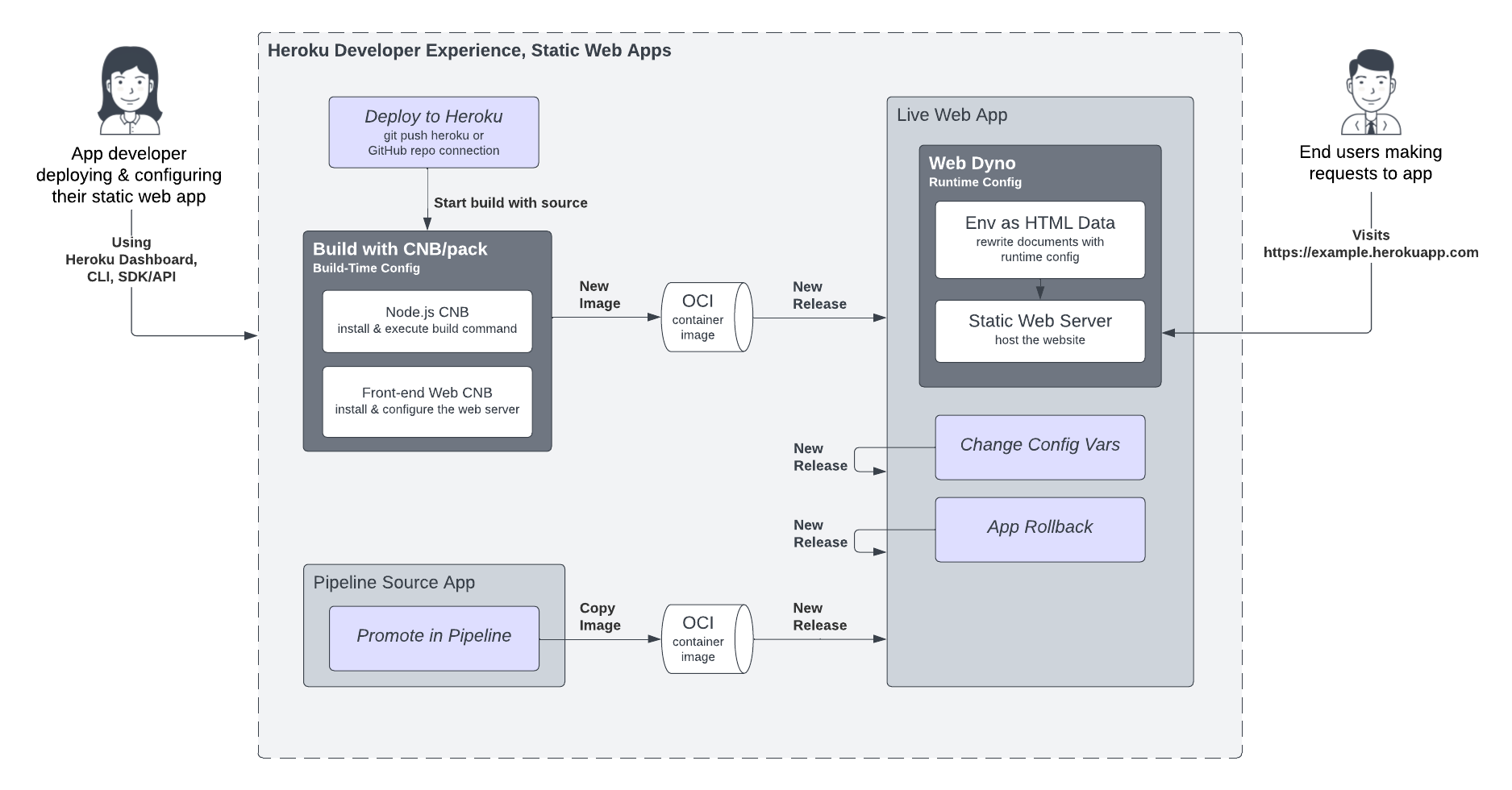
On Heroku, the project.toml file and config vars set the CNB configuration. Heroku front-end web apps support two distinct phases of configuration, during the build process and then at runtime when the web server launches.
- Using the CNB build plan, other buildpacks can compose configuration for the static web server to support “zero-config” deployment of specific front-end frameworks.
- CNBs produce standard OCI images, enabling local development with pack/Docker, and deployment to Heroku’s CNB stack.
- The optional JavaScript/Node.js build environment is powered by the heroku/nodejs CNB with support for
npm,pnpm, andyarnpackage managers. - At launch, runtime config vars are injected as standard HTML Data attributes, enabling browser apps to easily pick up configuration changes with only a server restart, so no rebuild is required
- The web server runs in Heroku dynos to deliver sites to end users, providing streamlined, purpose-built capabilities for static web apps. The server is implemented with Caddy.
Caching
Websites deployed with the Front-End Web buildpack are hosted directly in Heroku dynos. The static web server running on Heroku handles all requests from the internet. While this works great for development and small-scale production deployment, you can enhance website performance and resiliency to traffic spikes with well-crafted cache-control headers and a content delivery network (CDN), such as Cloudflare or Fastly.